Insight
The Ultimate Guide to SMS Deliverability: How to Avoid Carrier Spam Filters
Text messaging is a great way to move your business forward, but they need to be compliant with the Cellular Telecommunications Industry Association (CTIA) messaging guidelines and your carrier’s messaging code of conduct.
Mobile carriers like T-Mobile, AT&T, and Verizon use automated spam filters to protect their users from unwanted texts, scam attempts, and other nuisances.
If your texts have things like:
Suspicious links
Aggressive formatting
Unverified sender info
They’re at risk of being marked as spam, which can have a direct impact on your message deliverability if you’re not compliant.
Here’s what to avoid, so your message deliverability and reputation with customers stays in the green.
What is Spam Texting?
Text messaging has evolved to be a primary form of communication, but unsolicited and fraudulent messages still manage to slip through the cracks.
Text spam generally falls into two categories:
Malicious Spam (Smishing): Scam texts sent by ill-intentioned people attempting to trick recipients into sharing personal information—such as your credit card number, address, bank account number, or social security number.
Non-Compliant Business Text Messaging: Unwanted SMS marketing messages sent by legitimate businesses to contacts who never explicitly opted in to receive their texts.
Carriers want to protect their customers from these kinds of text messages, which is why they enforce strict filtering systems to block suspicious or non-compliant traffic before it even reaches a user’s inbox.
Spam can also be unintentionally sent by well-meaning and legitimate businesses to contacts who never opted in to receiving messages. We’ll show you what counts as an opt-in contact below.
How Do Carriers Identify Spam Texting?
Carriers monitor SMS traffic by using automated A2P (Application-to-Person) filtering algorithms. These systems screen incoming messages for patterns associated with fraud, aggressive marketing, and regulatory violations.
Per the CTIA guidelines, carriers actively filter messages that contain these common spam triggers:
Public or Unbranded Shortened Links: Generic shorteners (like Bit.ly or TinyUrl) that hide the actual URL.
Isolated or “Naked” Links: Links placed at the very end of a text, or omitting the https:// security protocol.
Aggressive Formatting: OVERUSE OF ALL CAPS or excessive emojis and special characters (!!!, $$$, ???, etc.).
SHAFT & High-Risk Content: Content Related to Sex, Hate, Alcohol, Firearms, or Tobacco, as well as high-risk financial offers like payday loans or empty crypto promises.
Mass Repetition: Sending the exact same mass text message to a large group of people (hundreds or thousands) with no personalization.
Spam-Like Syntax: Robotic, misspelled, or grammatically incorrect sentences carelessly drafted by a bad actor, or automated spam bots.
Sender Identity and Volume Patterns
Apart from message content, carriers also evaluate sender reputation.
Carriers check for two key signals:
Number Registration Status: Unregistered numbers blasting mass texts are immediately flagged. High-volume business texting requires verified A2P 10DLC (10-Digit Long Code) registration or Toll-Free Verification.
Sending Velocity and Volume: Sharp spikes in message volume from a new or unverified number trigger automated safety protocols. It’s normal for text message volume to gradually increase, rather than sending thousands of bulk texts at once.
Ignoring these metrics results in more than just delaying your text messages—it can damage your texting privileges.
What Happens if You Trigger Spam Filters?
It’s not the end of the world if one or two of your messages get flagged as spam. But if you send too many messages that trigger spam filters over a long period of time, your number could be blacklisted—or forever banned—and you’ll be unable to text any number owned by that carrier again.
Blacklisting happens on a per-text number basis, and is controlled by carriers individually. So theoretically you can have one number blacklisted by one carrier and be fine on the rest—but we don’t want that to happen in the first place.
Our goal is to keep your messages from having common spam triggers before you even send them. Follow these spam recommendations below to prevent your messages from being filtered and annoying customers.
3 Best Compliance Practices Before Mass Texting
Technical preparation and legal compliance are non-negotiable before you start texting your customers. Skipping these steps will lead to immediate carrier blocking, poor deliverability, or potential compliance fines.
1. Complete 10DLC or Toll-Free Registration
Carrier registration is mandatory if you’re using a 10-digit long code (10DLC) number. Major U.S. carriers like T-Mobile, AT&T, and Verizon require businesses to register their Brand (verified business profile).
You most likely already use a 10-digit long code number (10DLC) to message customers. To comply with carriers, you need to register your organization (brand) and the use cases (campaigns) you use your 10DLC number you text for.
So why does registration matter for your business number?
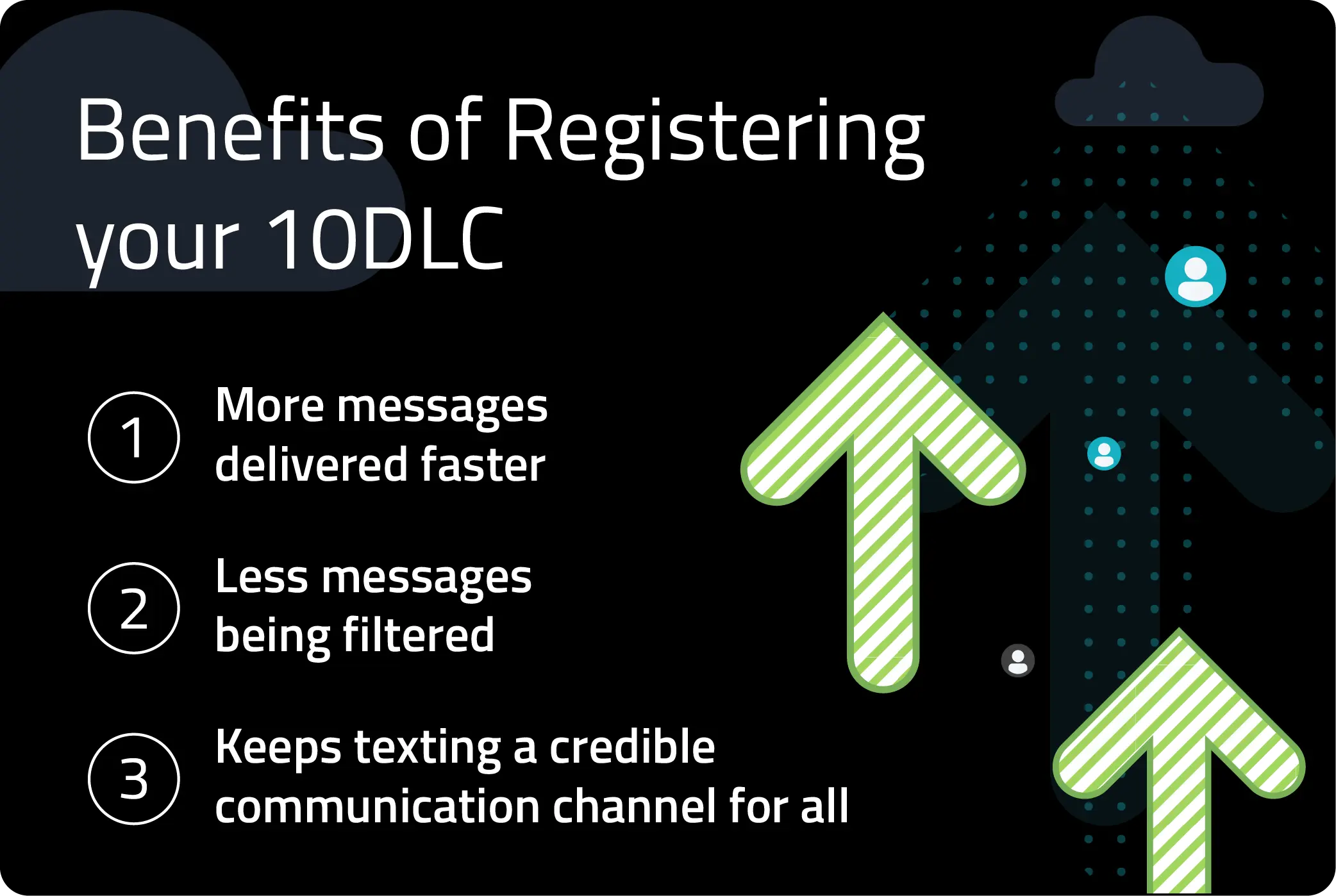
Registering your 10DLC number will give your messages higher throughput—which means more messages delivered faster. Unregistered numbers are heavily throttled, or blocked outright.
If you use a 1-800 toll-free number, you must complete Toll-Free Verification to achieve the same delivery status.
The Campaign Registry is a central hub for registering your 10DLC messaging campaigns. They verify your business, so your messages don’t get filtered by carriers. We work closely with them to represent your business and get your texts delivered.
Want to learn more? Read our full guide on 10DLC registration.
2. Secure Explicit TCPA-Compliant Opt-Ins
Even if you avoid sending messages with spam triggers, a customer can still block your number if they don’t want your message. Under the Telephone Consumer Protection Act (TCPA), commercial text messaging requires verifiable consumer consent before you start texting them.
How do you know a customer is okay with being messaged? Common compliant opt-in methods include:
Inbound Keywords: They text you first with a keyword like JOIN or START to your business number and are automatically added to your SMS subscriber list.
Existing Business Relationship: Verbal or written consent collected from someone you have a prior business relationship with (made a purchase or worked with you).
Web Forms: They share their number via web or physical form with a clear, un-prechecked checkbox explicitly consenting to SMS updates.
Pro Tip: It’s always best practice to maintain audit records of how and when contacts opt in. If carriers receive spam complaints, they might request proof of customer consent.
Check out our guide on how to build an SMS subscriber list.
3. Gradually “Warm Up” Your Messaging Volume
Staggering your messages when you first start text messaging is a process known as “warming up your phone number”. It’s a way to build a trusted sender reputation with carrier algorithms.
Carriers consider it suspicious when people set up a new 10DLC number only to then immediately blast thousands of messages.
So how can you protect your delivery rates?
Start Small: Send your first broadcasts to small, highly engaged segments (e.g. 50 to 100 contacts).
Scale Step-by-Step: Increase your daily volume in increments (e.g. 50 to 500 to 2,500 to 10,000) across several sending stages.
Monitor Delivery Rates: Monitor your real-time SMS delivery metrics after each segment to make sure your texts are being successfully delivered before expanding your reach.
Once you nail down your sending habits and align them with carrier standards, the next step is to fine-tune the actual content of your text messages.
8 Ways to Avoid Triggering Text Spam Filters
Individual message formatting can still cause deliverability issues—even after you’ve followed every rule and remained compliant. These 8 best practices will help keep your texts out of the spam folder.
1. Avoid Public Link Shorteners and Use Branded URLs
Generic, free link shorteners from sites (like Bit.ly or TinyURL) are heavily abused by spammers who want to mask malicious destination sites.
To counter this, Text Request has a custom-branded link shortener to keep your links safe.
Carriers will also be suspicious if you send a link to more than 50 people at a time, so we recommend spacing out messages with links.
Good: “Interested? https://www.business.com/demo That link will take you to where you can schedule a demo.”
Bad: “Follow this link for a demo: https://bit.ly/39zx6EA”
Pro Tip: Unreasonably long links will also trigger spam filters, so avoid sharing ones that look like:
“https://www.google.com/maps/dir/35.047214,-85.303271/google+map+to+chili's/@35.0495358,-85.3111895,16z/data=!3m1!4b1!4m9!4m8!1m”

2. Surround Your Links with Clear Context
Sending a link in a text without surrounding text is a red flag to carriers and customers. Always surround URLs with descriptive words so the recipient and carrier can understand the purpose and where you are sending them.
Good: “We have a guide for that: https://www.textrequest.com/insights/10dlc That link will walk you through registration.”
Bad: “Use this article: https://bit.ly/3FUU6tF”
3. Avoid sending naked links.
A naked link is when the “https://” prefix is omitted. Unencrypted or raw domain strings raise suspicion with mobile carriers because they resemble unverified IP destinations or insecure webpages.
Good: “Check out our new arrivals here: [https://www.business.com/shop]
Bad: “Check out our new arrivals here: [business.com/shop]
4. Skip ALL CAPS and Excessive Punctuation
It’s best to avoid writing in ALL CAPS when crafting your text messages because it triggers spam filters. Why? Spammers are known for using aggressive language and capitalization to create a false sense of urgency.
It also alienates customers who may feel like they’re being shouted at, so keep your messages neutral and informative.
Good: "Hi [Name], we had a last-minute appointment open up for tomorrow at 2:00 PM. Book here: [link] Hope to see you soon!”
Bad: "URGENT NOTICE!!! CANCELLATION OPENING TODAY ONLY!! CLICK HERE NOW TO BOOK BEFORE IT'S GONE: [https://www.business.com/book-now]”
You can get your point across and create excitement without using ALL CAPS in your texts. Check out our 16 SMS marketing ideas to help you do just that.
5. Limit Special Characters and Heavy Emoji Usage
Special characters and emojis are great for adding personality in one-on-one conversations. On the other hand, overusing them in mass text broadcasts will most likely trigger a spam filtering alert.
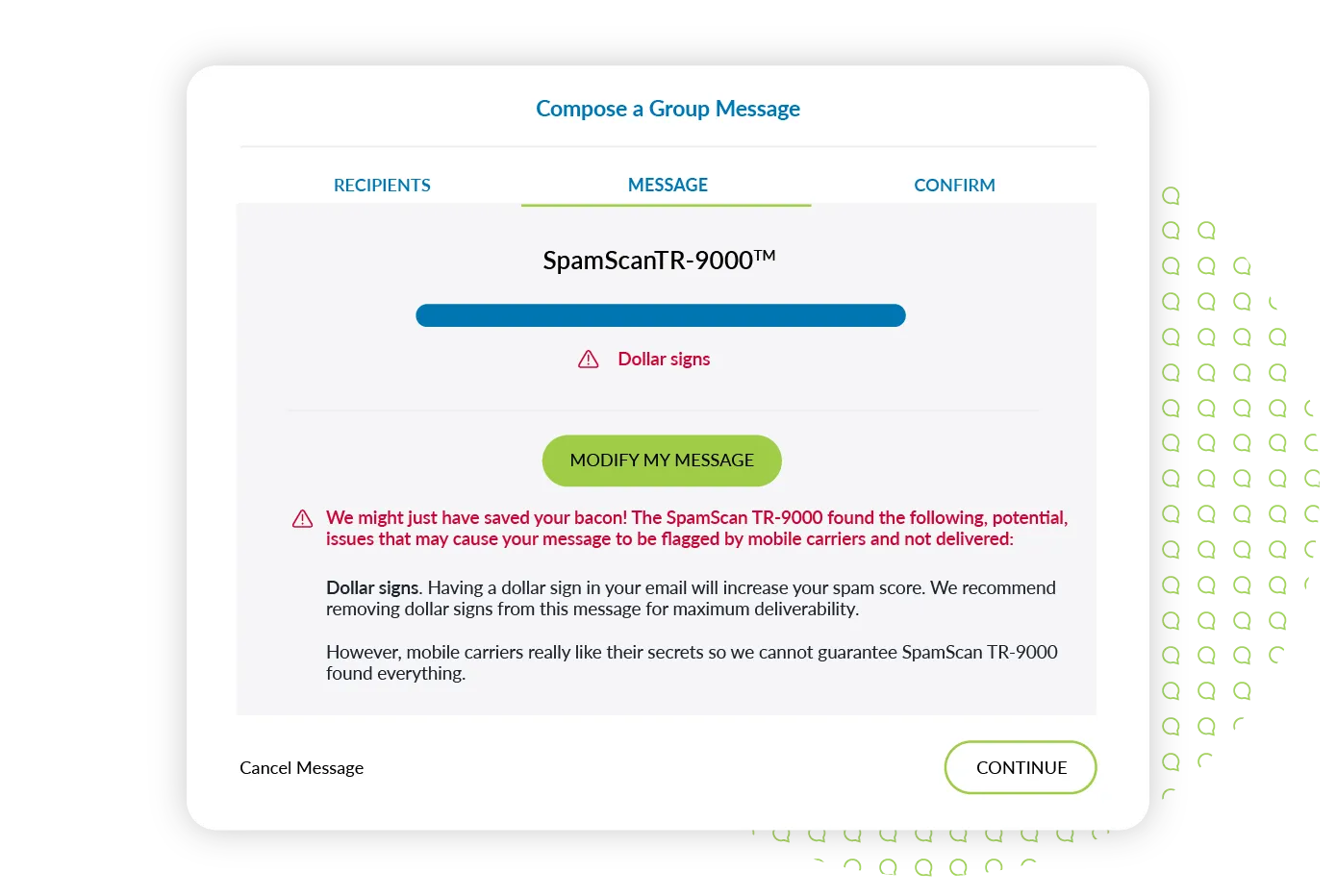
Dollar signs in particular carry high spam risk.
Good: "New VIP reward available! Enjoy 20% off your next online order: [https://www.business.com/vip]”
Bad: “🎉🥳 VIP SALE TIME! 🛍️💥 Save huge $$$ on all items TODAY ONLY! 😱👇🔥 Click here to shop now: [https://www.business.com/vip]”
Pro Tip: Special characters can also shift your message encoding from standard GSM-7 to Unicode (UCS-2), which drastically reduces your limited character count per text segment and inflates your sending costs.
6. Keep your messages varied and personalized.
Personalize Texts with Dynamic Merge Fields
Sending identical messages to large groups over and over again is a classic indicator of automated spam bots.
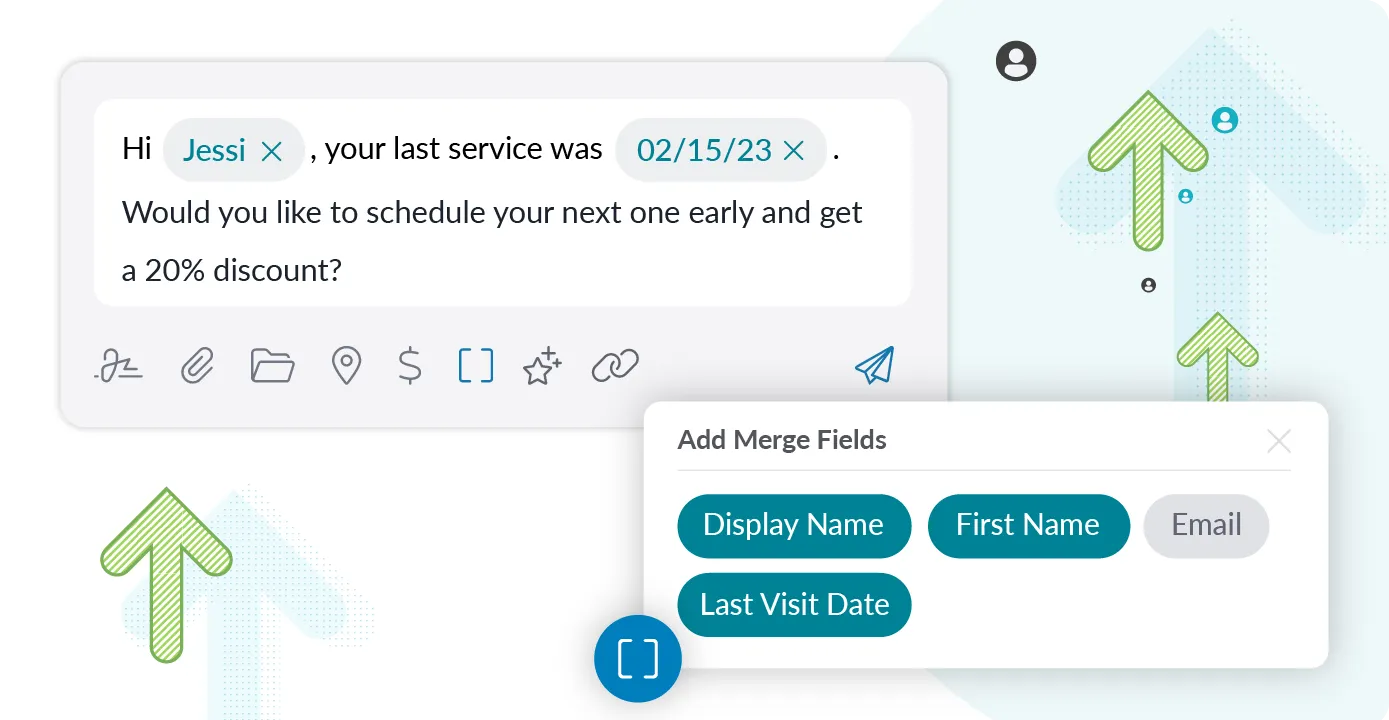
Text Request’s Merge Fields feature makes it easy to personalize messages at scale, so you can add relevant contact details (first names, appointment dates, etc.). That way, your outbound messages are unique to carrier scanners.
Good: “Hi [Name], your last tune-up was [date]. Would you like to schedule another one to keep your system running smoothly?”
Bad: “Hey you’re due for a tune-up.”
We also recommend formally planning and spacing your messages out, so you don’t annoy customers and stay below the spam radar.
7. Keep Messages Short and Mind Your SMS Segments
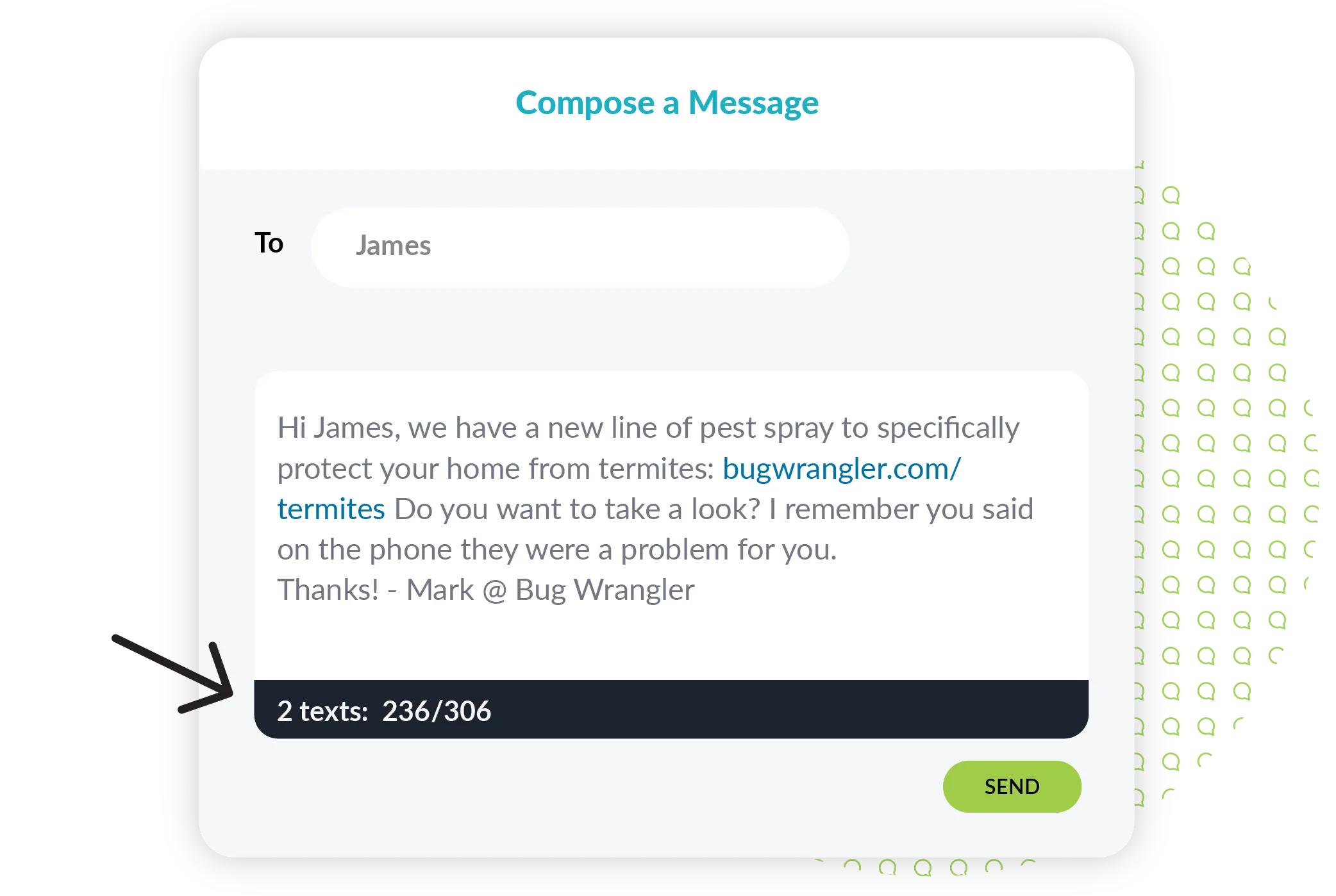
Texting is designed to be concise. Long, rambling messages that read like emails get immediately flagged by carriers for excessive length or high character-segment counts.
It’s best to aim for 1-2 clear sentences within the standard 160-character SMS segment boundary.
Good: “We have a case study that shows how we’ve helped businesses similar to yours: [link] Let me know if you’d like to schedule a call to learn more.”
Bad: “We have a case study that tells the story of how we helped a small business increase their HVAC sales up to 30% after they implemented our sales tactics and used our customer guides. If you read it, you’ll see that you have a lot in common: [link] Sound like a good fit? We’re always here if you want to talk more or schedule a call. Our mission is to help you make the biggest impact possible, and we’ve been successfully helping businesses do that since 2013.”
Pro Tip: If the information you need to share is super detailed, redirect the conversation to a link or scheduled phone call instead. Your customers are also more likely to engage with messages that are on the shorter side.
8. Write Naturally and Avoid Spam Trigger Words
Sentence structures filled with awkward phrasing, blatant typos, or high-pressure sales pitch words (“100% FREE, “ACT NOW”, “GUARANTEED”) are quickly flagged by automated A2P filters.
Unusual sentence structure, grammatical errors, and misspellings are the biggest indicator of spam. If your sentences are filled with typos, or sound like they were created by a robotic-sounding A.I., carriers will block you.
Good: “Thanks for being a loyal customer, [Name]! Enjoy 15% off your next purchase: [link] with code SAVE15.”
Bad: “💰💰💰 CONGRATULATIONS!!!!!!💰💰💰 You won a FREE gift card💳!!!! CLaim ur prize before expiry 🤑🎁💸Kindly click here ASAP to confirm details! [link]”
Pro Tip: Proofing your texts before you send them is a must. We recommend reading your messages aloud to yourself before you hit send.
Catch Spam Triggers Before You Hit Send
The easiest way to protect your deliverability rate is to scan your content before sending.
Text Request’s built-in Spam Scanner automatically checks your group messages for high-risk triggers, like unbranded links, aggressive caps, and suspicious syntax—before they reach carrier filters.
Note that individual peer-to-peer texts don’t pass through the automated Spam Scanner. As long as you adhere to the best practices above, your one-on-one and mass texting campaigns should remain safe and compliant.
Ready to Boost Your SMS Deliverability?
Stop getting lost in the spam folder, and start delivering text messages that actually land in your customer’s inbox. Schedule a personalized demo today to see how Text Request helps you craft compliant, high-converting texts that your customers and carrier algorithms will love.

FAQ
1. How can you tell if your text has been flagged as spam?
When a carrier blocks your texts, your delivery rates will plummet and your messaging platform may report specific delivery error codes (such as Carrier Error 30007 or 30008). In severe cases, your delivery receipts will mark text as “undelivered” with no explanation.
2. Can mobile carriers block my phone number permanently?
Yes. If a business repeatedly sends unverified mass texts or triggers high volumes of spam complaints, carriers can blacklist that specific number. Once you’re blacklisted, you’re unable to text any mobile user on that carrier’s network.
3. How can carrier algorithms tell the difference between a real business and a scammer?
Carriers verify sender identity by using A2P 10DLC registration and Toll-Free Verification—which is why it’s non-negotiable if your business wants to start texting customers. Legitimate businesses are supposed to register their official tax details and texting use cases to The Campaign Registry (TCR). Spammers and scammers are notorious for operating anonymously using unverified numbers, which is why their unregistered high-volume traffic is flagged and blocked immediately.
4. Can scammers spoof my business phone number to send fake texts?
Spoofing numbers for two-way business texting on officially registered A2P networks is extremely difficult. It is possible for scammers to spoof regular caller ID numbers though. As long as your 10DLC number is registered, it locks down your brand’s sending identity—signaling to carriers that texts coming from your number are actually yours.
5. Why do scammers use words like “kindly” and ALL CAPS in texts?
Scammers typically rely on pre-written scripts or automated translation tools, resulting in words like “kindly” and generic greetings like “Dear Valued Customer” as common red flags. ALL-CAPS and panic inducing phrasing is a predatory technique used to trick people into acting before thinking. Carrier algorithms are geared to monitor these language patterns to catch scam bots before they have a chance to victimize anyone.