Playbook
Dental Practice Text Messaging: The Complete SMS Guide for Dental, Orthodontics, and Endodontics Professionals
Dental practices need text messaging to reduce no-shows, improve patient communication, and optimize front desk operations.
Traditional communication methods, like phone calls and emails, are easy for patients to ignore, which leads to missed appointments, lost revenue, and inefficient workflows.
Your dental practice can use business texting software to:
Text patients directly from your dental facility’s landline number
Reduce missed appointments
Confirm appointments faster
Create better overall patient experiences
Text Request’s dental texting playbook will show you how to keep your schedule full, simplify patient communication, and run a more efficient practice overall.
3 Benefits of Text Messaging for Dental Offices
Text messaging doesn’t just improve communication for dental, orthodontics, and endodontics professionals, like you—it changes how you operate day to day. Instead of chasing patients down, texting enables you to create a more predictable schedule, so your staff and patients have a smoother experience.
1. More predictable schedules.
Texting allows patients to quickly confirm or reschedule their appointments. Your schedule becomes more reliable and easier to manage in advance.
2. Less front desk burnout.
Phone calls, voicemails, and back-and-forth follow-ups take time out of your day. Texting cuts back on that manual workload and keeps everything in one place.
3. A more modern patient experience.
Texting feels easier and more natural than calling for many patients, since it’s a preferred method of contact. It meets expectations without adding extra effort on their end.
Is Texting HIPAA-Compliant for Dental Practices?
Yes, texting can be HIPAA-compliant—but only if it’s done through software that abides by the security, governance, and operational requirements specified by the Health Insurance Portability and Accountability Act, and other associated regulations.
Standard texting (like personal phones or basic SMS apps) isn’t secure enough to protect valuable Protected Health Information (PHI). That’s why it’s important for your practice to implement a platform with encryption, secure data storage, and access controls to stay compliant.
Text Request offers HIPAA-compliant texting accounts for dental practices. All data is permanently recorded, encrypted in transit and at rest, and our security is certified by third party auditors. We’ll even sign a Business Associate Agreement (BAA) with you upon request. Check out our security page to learn more.
Top 6 Texting Use Cases for Dental Practices
Text messaging supports every stage of the patient journey—from scheduling to follow-up care. Below are the most impactful ways dental practices use texting.
1. Appointment scheduling and management.
Manage appointment reminders, confirmations, and rescheduling all in one place to keep your schedule organized and reduce last-minute gaps. Patients can quickly confirm or change their appointments without needing to call—freeing up valuable time for your front desk staff.

2. SMS Chat for new and existing patients.
An SMS Chat widget on your website allows potential and existing patients to start a text conversation directly from your website, without filling out a form or making a phone call.
Instead of waiting for a call, patients can take the initiative to:
Ask questions about services or pricing
Inquire about appointment availability
Get quick answers
After sending a message on your SMS Chat widget, patients can continue the conversation on their phones and you can respond in real time or follow up later—depending on what time they text you. This helps your practice capture and convert more inbound inquiries.
3. Patient intake and forms.
Text links to intake forms, insurance details, and pre-visit instructions ahead of time, so patients can complete everything before arriving. This cuts down on wait time and keeps appointments running on schedule.
4. Billing and payment reminders.
Notify patients via text about outstanding balances, upcoming payments, or insurance updates, with a quick text. This makes it easier for patients to stay on top of payments.

5. Post-visit follow-ups.
Send a quick check-in text to patients after their appointments, share after-care instructions, and answer important questions without having to schedule another visit or phone call. This helps patients feel supported and improves the overall care experience.
6. Review requests.
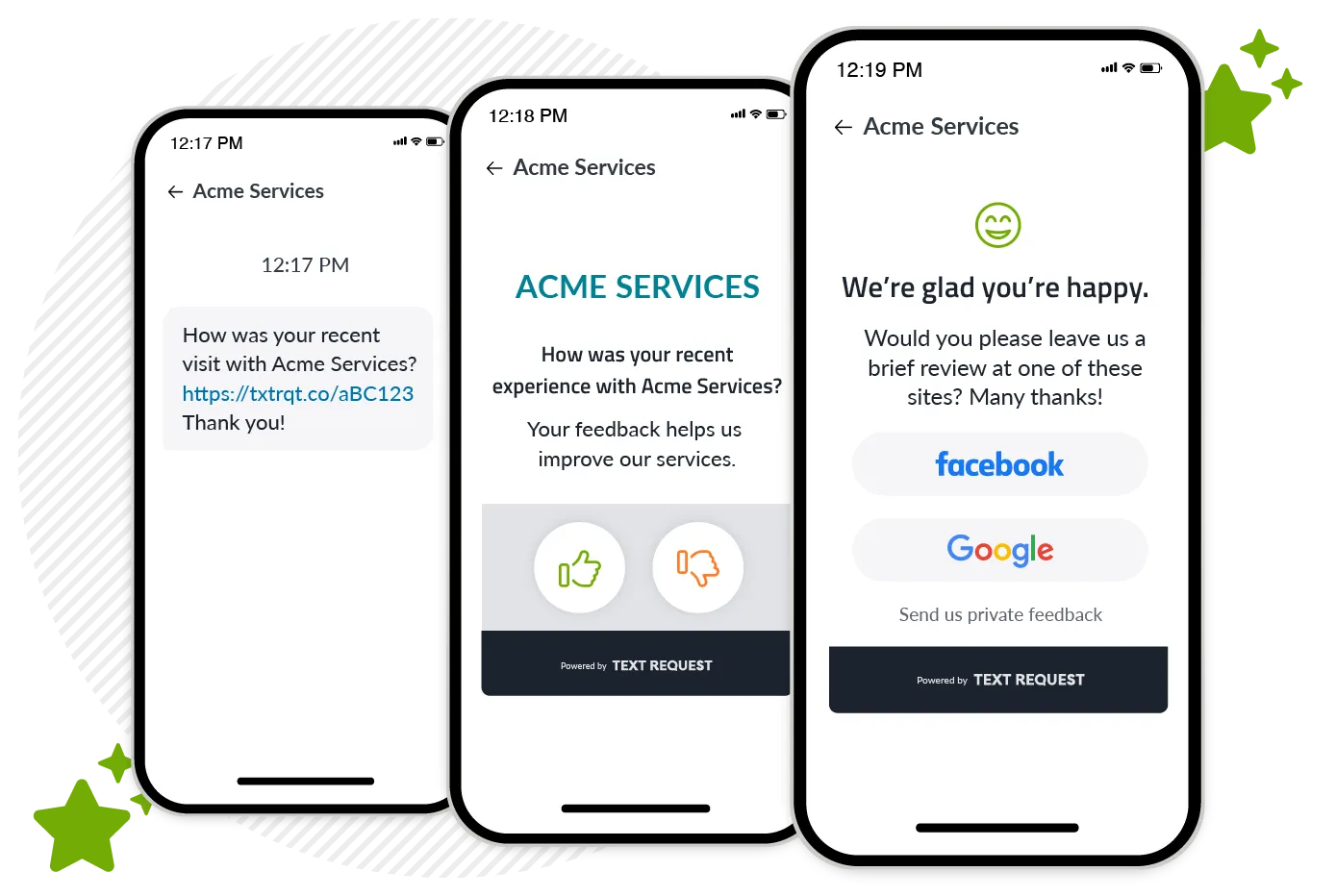
Ask patients for reviews via text while their experience is still fresh on their minds. A simple SMS with a link to your review page makes it easy to increase online reviews and build trust with future patients who come across your practice in online search results.
8 Key Features to Look for in Dental Texting Software
Not all texting platforms are built for dental practices. The right solution should make it easy to manage patient communication while staying secure and compliant.
1. HIPAA-compliant text messaging.
Look for a texting platform that offers encryption, secure data storage, and a Business Associate Agreement (BAA) to protect PHI.
2. Appointment reminders and automation.
Scheduled reminders help cut back on forgotten appointments and keep your practice running smoothly.
3. Two-way messaging.
Patients should be able to reply directly to your texts so you can confirm appointments, answer questions, and manage conversations in real time.
4. Landline texting.
Choose a platform that enables you to text from your existing office number, so patients know who the message is coming from.
5. Link sharing and forms.
The ability to send links via text makes it easy to share intake forms, payment pages, and instructions.
6. Payment and billing support.
Look for a platform that allows you to send payment reminders and collect payments via text to streamline billing.
Check out our payment related SMS messages templates to help you get paid faster.
7. Review requests and reputation management.
Built-in review tools help you request, track, and respond to patient feedback all in one place—making it easier to grow your online presence.
8. Integrations and reporting.
Make sure the platform you choose integrates with your existing tech stack and has access to reporting, so you can track performance and keep everything connected.
Check out Text Request’s full suite of features.
8 Best Practices for Dental Texting
Text messaging works best for dental practices when it’s used intentionally. These best practices will help you and your staff communicate clearly, stay compliant, and keep patients engaged.
1. Keep texts short and clear.
Patients should be able to read and understand your text at a glance. Avoid long paragraphs and unnecessary details.
2. Make it easy to respond.
Ask simple questions or include clear next steps so patients can respond accordingly.
3. Don’t over-text patients.
Stick to relevant, timely communication. Too many texts can lead to patients ignoring or opting out.
4. Use automation wisely.
Automate reminders and routine messages, but keep more personal or sensitive conversations human.
5. Personalize your texts.
Use patient names or appointment details to make messages feel more relevant and less generic.
6. Stay HIPAA-compliant.
Avoid sending sensitive health information—unless you’re using a secure, compliant platform.
7. Time your text messages appropriately.
Send texts during business hours or at reasonable times to respect your patients’ schedules.
8. Keep your tone friendly and professional.
Texting should feel approachable but still reflect your practice’s professionalism.
Related Content: 6 Healthcare Text Messaging Best Practices
8 Ways to Implement Text Messaging in Your Dental Practice
Getting started with texting doesn’t have to be complicated. With the right setup, you can start streamlining communication almost immediately.
1. Choose a HIPAA-compliant platform.
Choose a secure texting solution like Text Request—we protect patient information and meet HIPAA requirements so your team can text back-and-forth with patients at will.
2. Set up your business number.
Next, you’ll need to make your current business number textable. This way, people can send you text messages with the same number they’re already used to calling.
3. Import your contact list of patients.
Upload your patient list so you can start texting them right away and keep everything organized in one place.
4. Tell patients they can text your practice.
Now that your existing phone number is textable, you need to get the word out to patients. Advertise that people can text your office on your:
Website
Social media profiles
Physical ads like in-office signage or front desk materials
Digital ads
You can also mention it during appointments or calls. For example, letting patients know they can text your office with questions or to reschedule.
5. Create text message templates.
Set up text templates for common messages like appointment reminders, confirmations, and follow-ups to save time. They can look something like:
Template 1: “Hi, [Name]. You’re due for your next cleaning. [link] Pick any slot that is most convenient for you. - [dentist name], [dental office]”
Template 2: “Ready to schedule your follow-up appointment with [dental office]? [link] The sooner your book the better, so we can make your smile the best it can be.”
Template 3: “Hi, [Name]. We missed you at your dental cleaning today. [link] Please review our cancellation policy before you re-schedule."
Check out Text Request’s 30 pre-written dental office text messaging templates.
6. Automate key workflows.
Schedule appointment reminders and recurring messages so your team doesn’t have to manually reach out every time.
7. Train your team.
Ensure that your front desk and staff know how to use the platform and respond to patients.
8. Monitor and adjust as needed.
Track responses and patient engagement to see what’s working and optimize your usage over time.
Ready to Start Texting at Your Dental Practice?
Schedule a demo to talk to our sales team about the use cases that are most important to your dental practice. They’ll show you the best SMS strategies to cater to your needs, as well as what it would look like to use Text Request day-to-day.
Our experts at Text Request also provide ongoing training and support to help your dental practice get the most out of business text messaging.
Common Dental Texting FAQs
1. Can dentists text patients legally?
Yes, dentists can text patients, as long as they follow HIPAA regulations and use a secure, compliant text messaging platform when handling sensitive patient information.
2. What’s the best way to reduce no-shows in a dental office?
Scheduled text message reminders are one of the most effective ways to reduce no-shows by helping patients remember and confirm their appointments.
3. Can patients reply to dental appointment reminders?
Yes, patients can reply when your dental practice uses two-way texting to confirm, reschedule, or ask questions.
4. How do you get patients to opt in to text messaging?
Collect opt-ins through your website, intake forms, or in-office by clearly letting your patients know they can text you.


